From spreadsheet to pro platform: why coaches and trainers are moving from Excel to Follow Lab PRO
By Ludovic Rérolle · Founder, Follow Lab
Many independent coaches and trainers started with a spreadsheet. That makes sense: it is free, flexible, and familiar. But at some point the spreadsheet is no longer enough, not because it is bad, but because your clients deserve better than a row in a file. Here is a comparison to help you decide when and why switching to a dedicated tool makes sense.
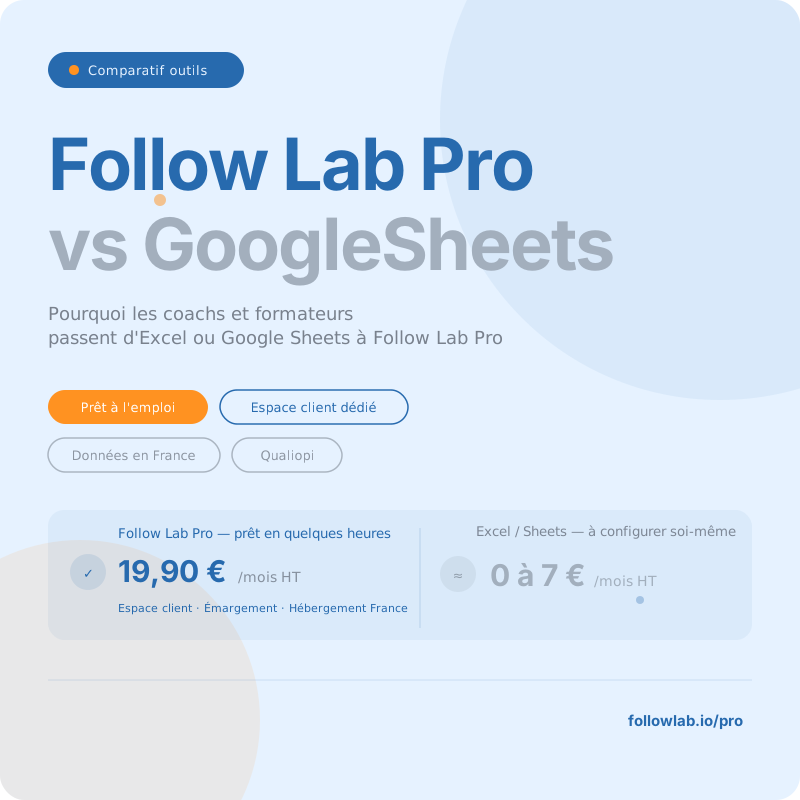
Excel and Google Sheets: solid tools, but not built for this
Excel and Google Sheets are excellent calculation and organization tools. The issue is not their quality: it is their nature.
A spreadsheet is designed to store and calculate data. It does not know how to manage a relationship. It cannot send a reminder to your client, centralize your exchanges, collect a signature, or alert you when a learner has not logged in for two weeks. For all of that, you fill the gaps yourself: manual emails, files shared via Wetransfer, paper signatures, forgotten follow-ups.
Follow Lab PRO is designed specifically for the coaching lifecycle. It is not an improved spreadsheet: it is a tool designed by coaching professionals for coaching professionals.
Excel vs Google Sheets: two different situations
Before comparing with Follow Lab PRO, it is worth distinguishing the two spreadsheet tools. They do not pose the same problems.
Excel is locally installed software. Your data stays on your computer, which is a form of control, but it also means it is only accessible from your machine, impossible to share in real time, and vulnerable in the event of a crash or loss.
Google Sheets solves the collaboration and accessibility problem. But it introduces another constraint: Google has servers around the world, and your information may be processed by servers located outside your country of residence. The choice of data storage region is only available on certain paid Google Workspace editions. For an independent trainer or a small OF on a free Google account or a basic plan, your clients' data is not guaranteed to stay in Europe.
The problem spreadsheets do not solve: the client relationship
A spreadsheet lives on your computer or in your Drive. Your client never sees it. They receive emails with attachments, sometimes poorly organized Google Drive links, session reports as PDFs by email. Every interaction is a manual effort on your side.
In this type of tool, information exists but does not circulate. Your client does not see progress on their journey. Nothing happens between sessions.
Follow Lab PRO creates a shared space between you and each client. Your notes, their feedback, shared resources, to-dos, past and upcoming sessions, information is visible on both sides, in real time, in an interface your client can use without prior training. A 90-second welcome video is enough.
This shift from a row in a table to a dynamic relationship is what our users describe when they say they gain professionalism overnight.
Feature comparison
| Feature | Follow Lab PRO | Excel | Google Sheets |
|---|---|---|---|
| Dedicated client space | Yes: individual portal per client | No | No |
| Session and time tracking | Automatic with each session report | Manual: free entry | Manual: free entry |
| Dedicated messaging with the client | Integrated channel per engagement | No | No |
| Secure resource sharing | Integrated drive, access per client | No: sent by email | Via Google Drive: global access |
| Electronic attendance | Included in all plans | No | No |
| Learner feedback collection | After each session | No | Via Google Forms: separate tool |
| Export & reports | PDF in one click | Manual: build it yourself | Manual: build it yourself |
| Automatic alerts and notifications | Appointment reminders, follow-ups, engagement alerts | No | No |
| Data hosting | France: HDS-certified servers | Local: on your machine | Google servers: variable location |
| Accessible to clients without training | Yes: clean interface, 90s video | No: pro tool not suited | No: generic interface |
On time saved: the 30% we talk about
Follow Lab PRO users report saving an average of 30% of time on the administrative management of their engagements. This figure comes from their direct feedback, not from an external study.
Concretely, here is where that time is recovered: no more manually filling in an hour-tracking table after each session, each session report automatically records time spent. No more emailing resources: they are uploaded once in the client space. No more manually chasing attendance: the system does it. No more compiling an export for a client organization, reports are generated in one click. And in the event of an audit or certification, all evidence is available and exportable.
These are not spectacular gains taken one by one. It is the accumulation over the week that changes daily life. Not to mention the mental load that goes with it!
Pricing comparison
| Criterion | Follow Lab PRO | Excel | Google Sheets |
|---|---|---|---|
| Entry price | 45 days free, no credit card, all features | Included in Microsoft 365 ~7€/month or purchase license | Free with a Google account |
| Solo paid plan | 19,90 €/month excl.tax: client space + attendance + follow-up included | ~7 €/month excl.tax Microsoft 365 Personal | Free: data on Google servers |
| Real cost (setup time) | A few hours: ready to use | High: build and maintain yourself | High: build and maintain yourself |
| Client space included | Yes | No | No |
| Hosting in France | Yes: HDS certified | Local only | No: variable Google servers |
| Commitment | No commitment | Annual or monthly | No commitment |
GDPR: the risk spreadsheets pose to your activity
An Excel file containing your clients' names, objectives, and personal situations is sensitive personal data under GDPR. Sending it by email, storing it on an unencrypted computer, or sharing it via a Google Drive link: these are all real risk points.
With Google Sheets, every financial data point and every piece of content passes through Google's servers, which raises serious concerns for European companies subject to GDPR. The exact server location is not guaranteed on consumer plans.
Follow Lab PRO hosts all data in France, on HDS-certified servers. Your data and your clients' data do not leave French territory. It is a concrete guarantee you can offer to your client organizations, a Qualiopi audit, or a client who asks the question.
Frequently asked questions
Is it easy to migrate my Excel data to Follow Lab PRO?
Yes. Follow Lab PRO lets you import your existing client lists. And when you subscribe, the Follow Lab PRO team supports you directly in the transition from your previous system, whether it is a spreadsheet, another tool, or a homegrown setup.
Does Follow Lab PRO allow hour tracking like a spreadsheet?
Yes, and more reliably. Each session report automatically records time spent. You then have hourly tracking by client, by service, and by period, exportable for your client organizations or Qualiopi audits.
Can my clients access my tracking?
On Excel or Google Sheets, giving them access either exposes your personal notes or your entire client database. On Follow Lab PRO, each client accesses only their own space: their sessions, their resources, their exchanges with you. Nothing more, nothing less.
Isn't Google Sheets enough if I'm just starting out?
That is a legitimate question. If you have fewer than 3 active clients and share nothing with them, Google Sheets may be enough. As soon as you want to offer a structured client experience, collect attendance, or meet Qualiopi requirements, it reaches its limits. It is also better to build good habits from the start with a professional tool, to avoid having to switch later. Follow Lab PRO offers a 45-day free trial with no credit card, you can test both in parallel and decide.